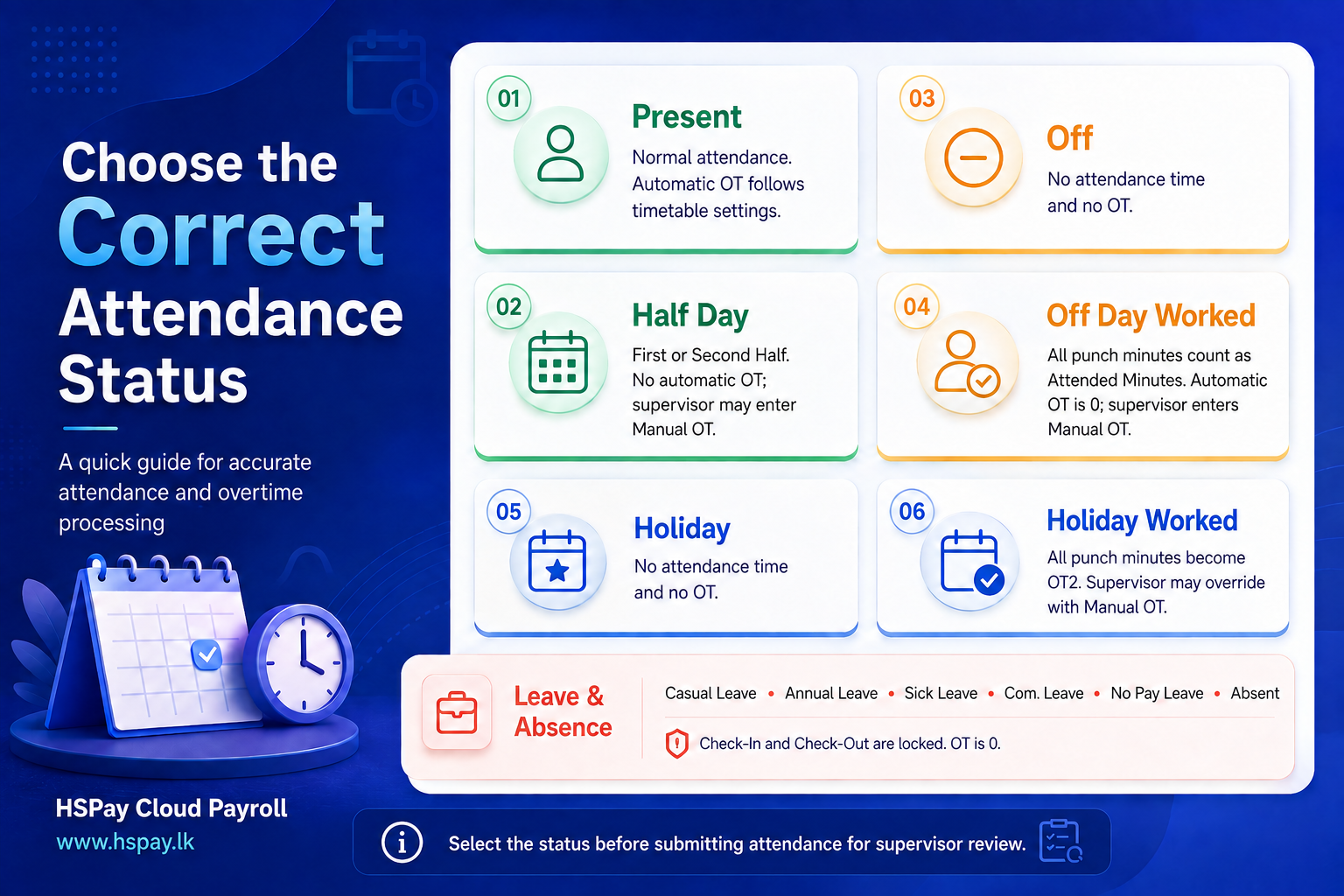
Present
Select Present when an employee works a normal scheduled day.
- Check-In and Check-Out are required.
- Attended, late, early-leave, and worked minutes are calculated.
- Automatic OT follows the assigned timetable settings.
- Normal OT payments use the configured Normal-Day Multiplier.
- A supervisor can adjust OT using Manual OT.
Half Day First and Half Day Second
Use these statuses when an employee works only one half of the day.
- Half Day First: The employee is absent during the first half.
- Half Day Second: The employee is absent during the second half.
- Check-In and Check-Out are required.
- Automatic OT is not calculated.
- A supervisor can enter approved Manual OT when necessary.
Off
Select Off when it is an employee’s scheduled off day and the employee did not work.
- Check-In and Check-Out are locked.
- Attended minutes and OT remain zero.
Off Day Worked
Select Off Day Worked when an employee works on a scheduled off day.
- All punch minutes are recorded as Attended Minutes.
- Automatic OT remains zero.
- The supervisor must enter approved OT using Manual OT.
- A compensatory leave credit may be created.
Important: The Off-Day Multiplier configured under OT Configuration is not automatically considered for Off Day Worked attendance.
Holiday
Select Holiday when the date is a holiday and the employee did not work.
- Check-In and Check-Out are locked.
- Attended minutes and OT remain zero.
Holiday Worked
Select Holiday Worked when an employee works on a holiday.
- Check-In and Check-Out are required.
- All punch minutes become OT2 minutes.
- Break minutes are not deducted.
- A supervisor can adjust the result using Manual OT.
- Holiday OT payment uses the configured Holiday Multiplier.
For example, if the Holiday Multiplier is 2.000, approved Holiday Worked minutes are paid at twice the applicable hourly rate.
Leave and Absence Statuses
The following are treated as non-working statuses:
- Casual Leave
- Annual Leave
- Sick Leave
- Com. Leave
- No Pay Leave
- Absent
For these statuses:
- Check-In and Check-Out are cleared and locked.
- Attended, worked, break, and OT minutes remain zero.
HSPay Cloud Payroll: www.hspay.lk
Screenshots
Follow the screenshots below together with the instructions in this article.