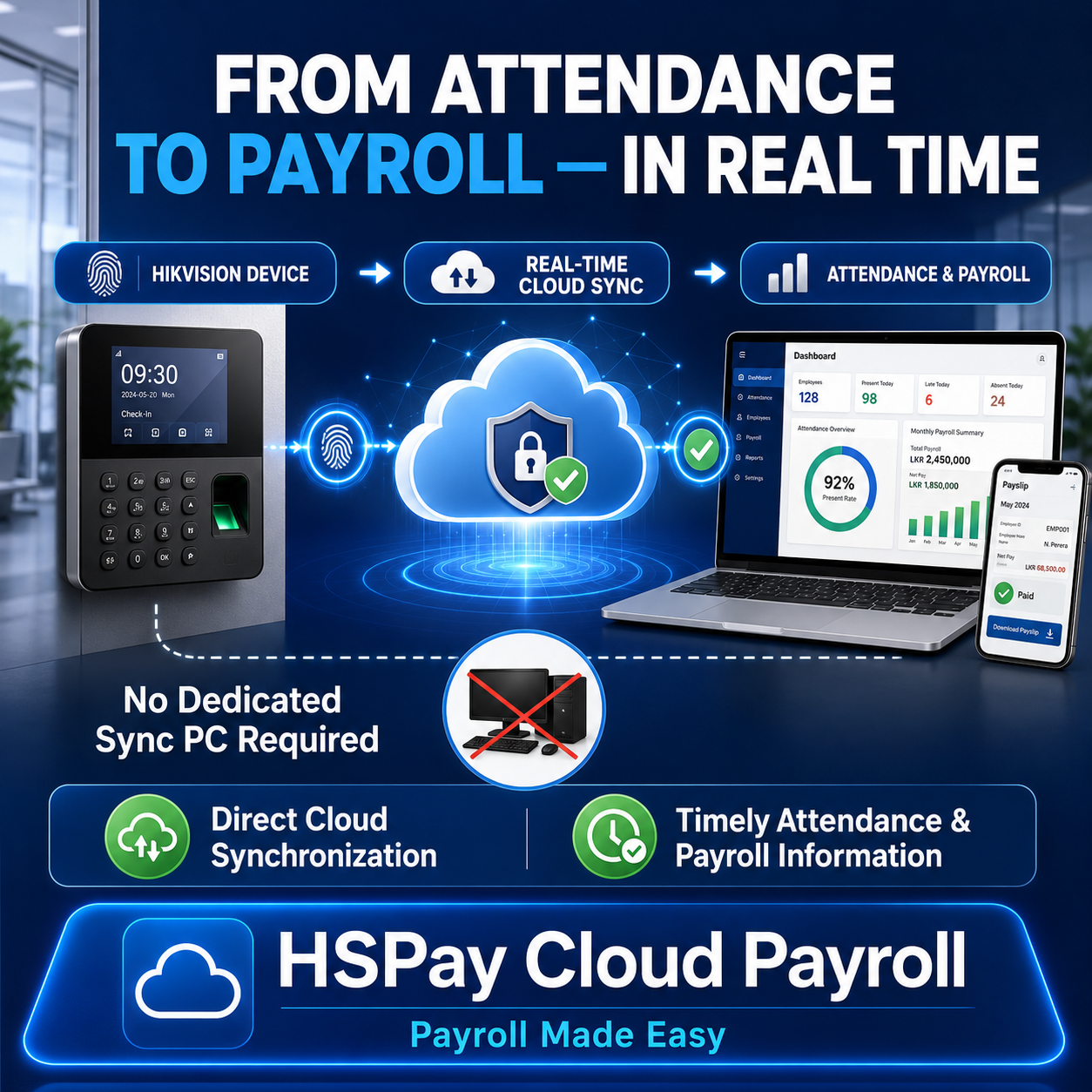
Many businesses use fingerprint or biometric attendance devices to record employee check-in and check-out times. However, some attendance and payroll systems still require a dedicated computer to download, transfer or synchronize attendance records.
This process can delay attendance updates and create an unnecessary dependency on one computer, one location or a manual synchronization task.
HSPay Cloud Payroll provides a cloud-based attendance-to-payroll workflow that can receive attendance events from compatible Hikvision devices through an internet connection.
This helps management access timely attendance information and move verified records into payroll without relying on a dedicated attendance synchronization PC.
What Is Direct Cloud Attendance Synchronization?
In a traditional attendance setup, the biometric device sends records to software installed on a local computer. That computer must normally remain switched on and connected for attendance data to be downloaded or transferred.
With direct cloud synchronization, a compatible attendance device communicates with the HSPay cloud environment through the internet. Attendance events can then enter the company’s secure HSPay account for review and payroll processing.
The simplified workflow is:
Hikvision attendance device → Internet connection → HSPay Cloud → Attendance review → Payroll processing → Payslips and reports
This removes the need to use a dedicated PC solely as an attendance synchronization bridge.
Why Can a Dedicated Synchronization PC Be a Problem?
A PC-based synchronization process may cause operational difficulties when:
- The designated computer is switched off or disconnected.
- The synchronization application stops running.
- Attendance records are downloaded only at selected times.
- The responsible employee is unavailable.
- Devices operate across several branches.
- Payroll staff must wait for attendance data to be transferred.
- The local computer experiences a hardware or software failure.
These issues do not necessarily mean that the biometric device is faulty. The delay may occur because of the method used to transfer records between the device and the payroll system.
How HSPay Connects Attendance with Payroll
HSPay is designed to bring attendance handling and payroll processing into one connected cloud workflow.
1. Employees record attendance
Employees check in or check out using the company’s compatible Hikvision fingerprint, face-recognition or biometric attendance device.
2. Attendance events are sent to the cloud
When the device and network configuration support direct integration, attendance events are transmitted through the internet to the HSPay cloud environment.
3. Attendance records become available for review
Authorized users can review attendance information, identify missing punches, check attendance statuses and make permitted corrections according to the company’s workflow.
4. A supervisor reviews and approves attendance
HSPay can support an attendance submission and approval process. This helps prevent unreviewed attendance records from moving directly into payroll.
5. Approved attendance supports payroll calculation
Verified attendance information can be used with the employee’s salary settings, approved overtime, allowances, deductions and other payroll rules.
6. Payroll outputs are generated
Authorized users can prepare payroll information, payslips and relevant payroll reports from the connected system.
Key Benefits for Sri Lankan Businesses
Timely attendance visibility
Management and authorized users can access attendance information without waiting for someone to download records from a local computer.
Reduced dependency on a single PC
The organization is not dependent on keeping one attendance synchronization computer continuously available.
Connected attendance and payroll
Attendance review, overtime handling and payroll processing take place within a coordinated workflow instead of disconnected applications and spreadsheets.
Better support for multiple locations
Cloud connectivity can make it easier to manage compatible devices deployed at different branches, subject to device, internet and network configuration.
Attendance review and approval
Supervisors can review submitted attendance before it is used for payroll, improving control and accountability.
Secure role-based access
Access to attendance and payroll functions can be provided according to the responsibilities and permissions assigned to each user.
Less manual work
Reducing manual attendance downloads and repeated data entry can save time and help reduce avoidable processing errors.
Does “Real-Time” Mean Attendance Is Always Instant?
Real-time synchronization means that a correctly configured compatible device can transmit attendance events through the internet without waiting for a manual PC-based download.
Actual delivery time can still depend on:
- The Hikvision device model and firmware
- Device integration capabilities
- Internet availability and connection quality
- Firewall and network settings
- Server connectivity
- The device’s event-transmission configuration
If the internet connection is interrupted, system behaviour will depend on the device configuration and its ability to retain and retransmit attendance events. These conditions should be tested during implementation.
Hikvision Device Compatibility
Not every Hikvision device or firmware version supports the same integration method. HSPay compatibility must therefore be confirmed before deployment.
The following information is normally required for an assessment:
- Exact device model number
- Firmware version
- Number of devices
- Number and location of branches
- Current network configuration
- Available internet connection
- Existing attendance software and synchronization method
- Required shifts, overtime rules and attendance policies
HSPay can first test one device and a small group of employees before a complete rollout.
Recommended Pilot Implementation
For an organization already using another payroll system, a controlled pilot is safer than immediately replacing the existing process.
A typical pilot can include:
- Assessing the existing Hikvision devices and network.
- Connecting one compatible device to a test HSPay company account.
- Enrolling or mapping a selected group of employees.
- Monitoring attendance synchronization for 7–14 days.
- Checking missing, delayed or duplicate events.
- Testing shifts, attendance statuses and overtime handling.
- Comparing HSPay results with the existing attendance records.
- Running a sample or parallel payroll calculation.
- Reviewing the results with HR, payroll, IT and management.
This allows the business to verify the workflow using its actual devices, network and attendance policies before making a final decision.
Who Can Benefit from This Solution?
HSPay’s cloud attendance-to-payroll workflow may be suitable for:
- Manufacturing companies
- Vehicle service and automotive businesses
- Retail businesses
- Hotels and restaurants
- Construction and engineering companies
- Security and service providers
- Companies operating multiple branches
- Organizations with approximately 10 to 200 or more employees
Suitability depends on the organization’s device models, network environment and payroll requirements.
Frequently Asked Questions
Do we need to keep a computer switched on to synchronize attendance?
For a supported direct cloud integration, a dedicated PC is not required solely to transfer attendance events. The compatible device communicates with the HSPay cloud environment through the internet.
Can HSPay connect to every Hikvision attendance device?
Compatibility varies according to the device model, firmware and supported communication methods. HSPay should assess and test the device before confirming integration.
Can HSPay support several attendance devices?
Multiple compatible devices can be considered. The configuration will depend on the number of devices, branches, network connectivity and employee-mapping requirements.
Will attendance records automatically calculate payroll?
Attendance information supports the payroll process, but records should first pass through the company’s review and approval workflow. Payroll also depends on salary settings, approved overtime, allowances, deductions and company rules.
What happens if the internet connection fails?
The result depends on the device’s storage and retransmission capabilities. Internet interruptions and recovery behaviour should be included in the pilot test.
Can a company test HSPay without immediately replacing its current payroll system?
Yes. A company can conduct a controlled pilot and compare HSPay attendance and payroll results with its existing system before considering a complete transition.
Move from Attendance Recording to Connected Payroll
A biometric device should do more than store attendance records locally. When compatible Hikvision devices are connected to HSPay Cloud Payroll, attendance information can become part of a controlled, timely and accessible payroll workflow.
Businesses can reduce dependency on manual synchronization, improve attendance visibility and provide HR, payroll and management teams with the information they need through a secure cloud platform.
HSPay Cloud Payroll — Payroll Made Easy.
To arrange a device compatibility assessment or HSPay demonstration, visit www.hspay.lk.
Screenshots
Follow the screenshots below together with the instructions in this article.